
Hear it in Chinese
Real-Time Audio to Chinese Translation with Pinyin and Playback
Learn how live speech can become Chinese captions, pinyin, and local pronunciation for conversations, lessons, and everyday listening.
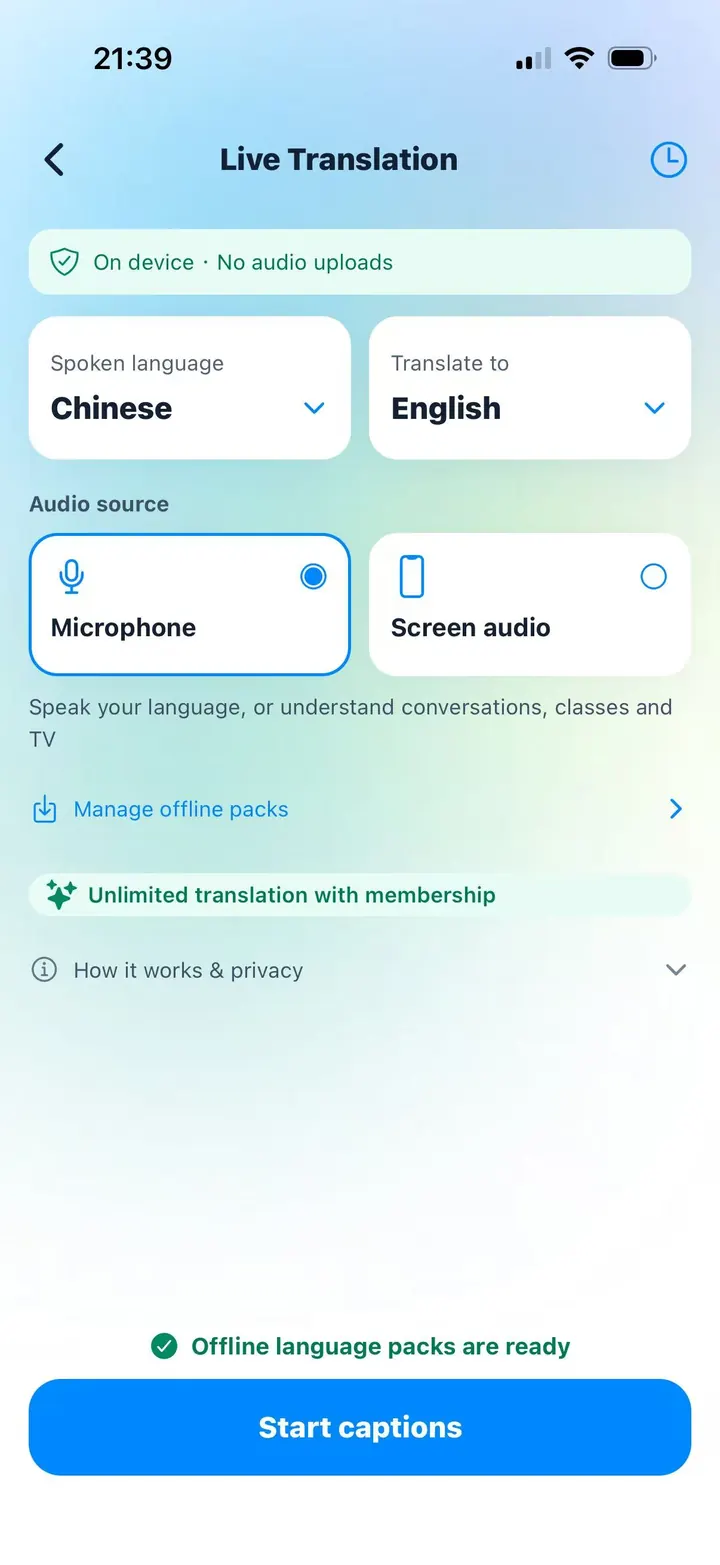
Real-time translation can support two different learning needs. You may want to understand spoken Chinese in your own language, or you may want to hear speech in another supported language expressed in Chinese. Chivoc Live Translation lets you choose the spoken language and the translation target for that session without changing the app’s interface language.
When Chinese is the target, the result is more than a line of translated text. Chinese captions can include pinyin, and you can play the sentence or individual characters with Chivoc’s local pinyin recordings. That turns a temporary translation into material you can read, repeat, and review.
From speech to a Chinese learning sequence
- Choose the language being spoken and set Chinese as the translation target.
- Speak into the microphone or play nearby audio clearly enough for recognition.
- Read the Chinese caption and use pinyin to identify unfamiliar syllables and tones.
- Play the Chinese line, pause, and repeat it aloud in short meaningful phrases.
- Save the transcript on the device only when the session is useful for later review.
Why automatic translation needs a learner’s judgment
Speech recognition and machine translation can be delayed, incomplete, or wrong. Fast speech, accents, background noise, names, incomplete sentences, and words with several meanings are common sources of mistakes. Captions work best as a bridge to understanding, not as a certified interpretation.
Use context to check the result. If the Chinese sentence seems unexpectedly formal, vague, or different from the situation, replay a shorter phrase or say the source sentence more directly. Important medical, legal, financial, emergency, or safety information should always be verified independently.
Local processing and language packs
After the required resources are downloaded, speech recognition and translation run on the device. Audio is not uploaded by Chivoc and is not kept as a recording. The first setup needs an internet connection to obtain the speech and translation resources supported by the phone and platform.
Available languages can differ by device, operating system, and offline provider. The language list shown inside Live Translation is therefore the reliable list for that phone. Chinese reading uses the shared pinyin audio package and no cloud TTS service.
A ten-minute speaking practice
Choose a familiar topic such as your morning routine. Say one short sentence in your strongest language, study the Chinese result, and replay it. Then cover the translation and try to say the Chinese sentence yourself. Repeat with four or five related sentences.
Keep only expressions you can imagine using again. A small transcript containing 我今天很忙, 我先喝咖啡, and 下午我要学习 is more useful than a long automatic transcript you never revisit.