
Camera to pronunciation
How to Scan Chinese Characters and Hear Their Pronunciation
Turn Chinese text on books, signs, and worksheets into editable characters, pinyin, pronunciation, and useful HSK vocabulary clues.
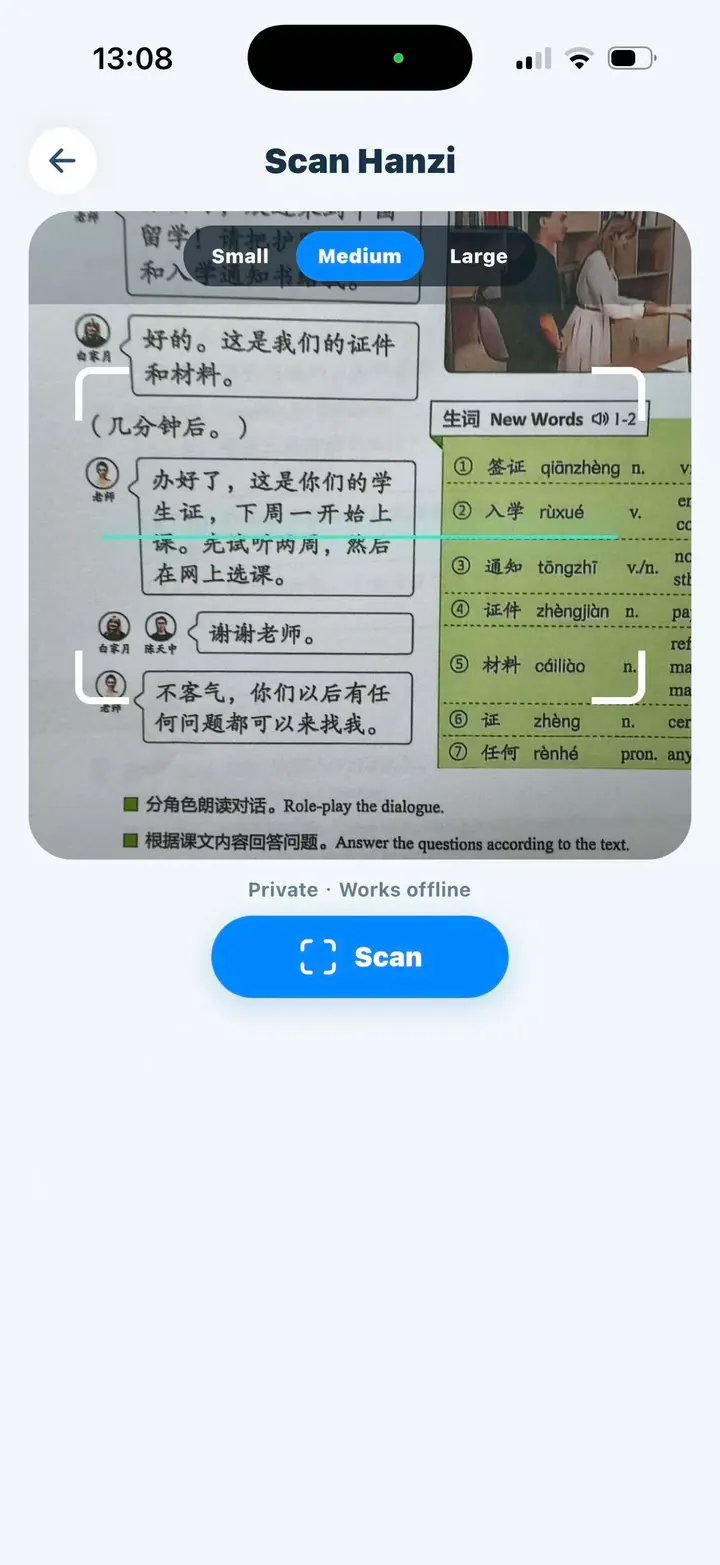
A printed Chinese sentence can be difficult to look up when you do not know where one word ends and the next begins. A character scanner shortens that first step: point the camera at the text, recognize the Hanzi, then use pinyin and audio to connect the written form with its sound.
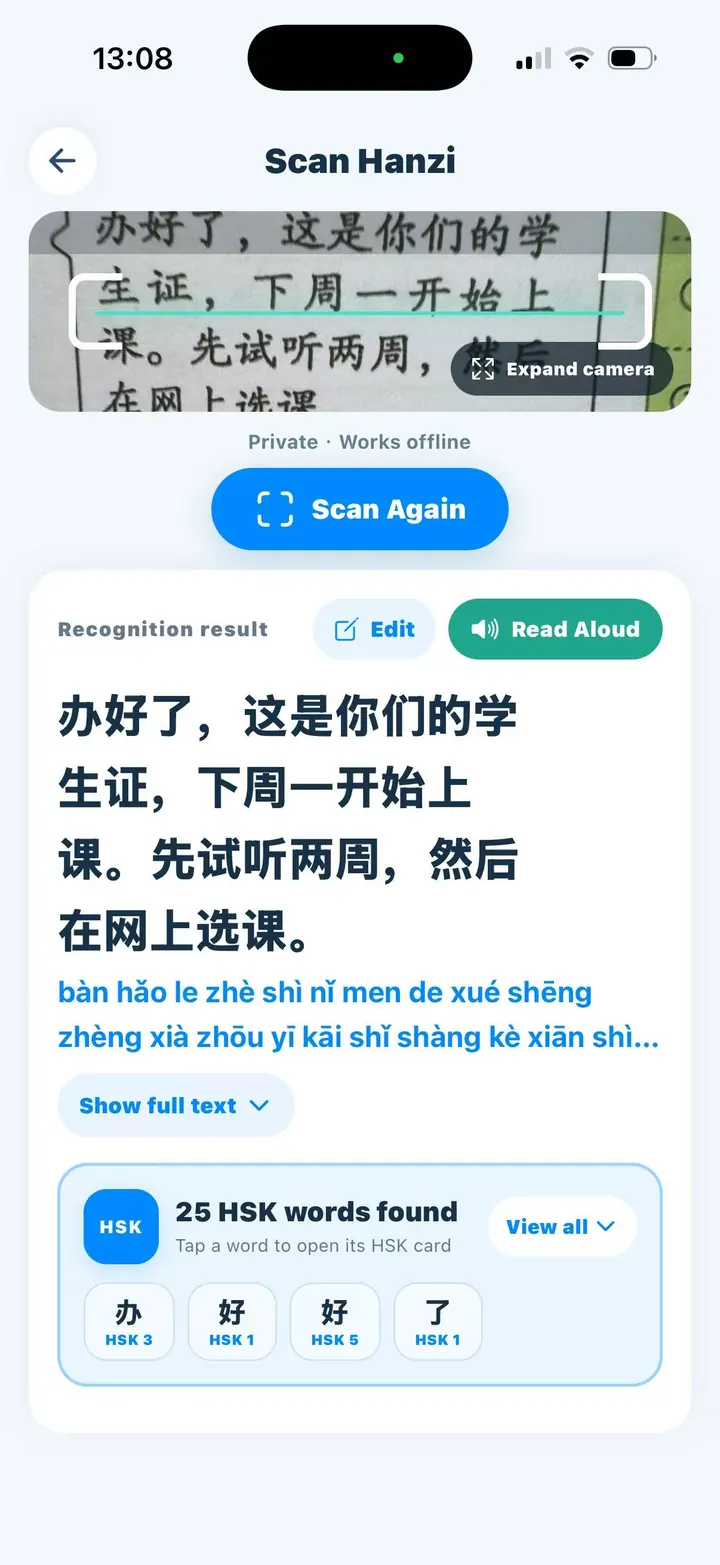
Chivoc’s Scan Hanzi tool performs optical character recognition on the device. The captured image and recognized passage are not uploaded. You can review and edit the result before listening, which matters because lighting, focus, font style, handwriting, and page layout can all affect recognition.
A simple scan-to-reading workflow
- Place only the text you need inside the adjustable scan frame and keep the page steady.
- Scan once, then compare the recognized characters with the original before studying them.
- Correct any character, number, or punctuation error in the editable result.
- Read the generated pinyin first, then play the local pronunciation recording.
- Open matched HSK words when you want a translation, example sentence, or fuller vocabulary context.
Why pinyin and audio should be used together
Pinyin shows the initial, final, and tone of a syllable, but spelling alone cannot demonstrate timing, tone shape, or how a phrase flows. Audio gives you a model; pinyin gives you a map for noticing what you heard.
For example, seeing 学习 as xuéxí helps you identify two rising tones, while hearing the complete word teaches you how those syllables connect at a natural pace. Listen once, shadow the recording, then look back at the characters so the sound does not become detached from the written word.
What works offline and what may need a download
The camera recognition itself runs on the phone and can work offline. Chinese playback uses Chivoc’s downloadable pinyin recordings rather than cloud text-to-speech. If that audio package is missing, the app offers the download when you first request playback.
Opening a complete matched HSK card can require the relevant HSK learning package and, for a new card, a one-time connection to check access. The scanned photo and surrounding recognized text are not sent with that request.
How to get more reliable results
- Use even light and avoid glare across glossy textbook pages.
- Move closer instead of relying on a very large frame filled with unrelated text.
- Keep the phone parallel to the page so characters remain square.
- Verify similar-looking characters such as 土 and 士 or 未 and 末.
- Treat OCR as a study assistant, not an authority; always compare important text with the source.